Indexing Store Events
Every MUD table mutation emits a Store event — Store_SetRecord, Store_SpliceStaticData, Store_SpliceDynamicData, and Store_DeleteRecord. By processing these events, you can rebuild the complete state of any MUD World from on-chain logs. This guide covers event processing, persistent storage with EF Core and PostgreSQL, schema normalisation into typed relational tables, and continuous background sync.
var storeEventsService = new StoreEventsLogProcessingService(web3, worldAddress);
var repository = new InMemoryTableRepository();
await storeEventsService.ProcessAllStoreChangesAsync(repository);
// repository now contains the full current state of all tables
One call processes all Store events and applies them to your repository.
Prerequisites
dotnet add package Nethereum.Mud.Contracts
For persistent storage, add one of:
# EF Core (any database EF Core supports)
dotnet add package Nethereum.Mud.Repositories.EntityFramework

# PostgreSQL with schema normalisation
dotnet add package Nethereum.Mud.Repositories.Postgres
Process Store Events
The StoreEventsLogProcessingService reads Store events from the blockchain and applies them to an ITableRepository. This is the primary way to index MUD World state:
using Nethereum.Mud.Contracts.Core.StoreEvents;
using Nethereum.Mud.TableRepository;

var storeEventsService = new StoreEventsLogProcessingService(web3, worldAddress);
var repository = new InMemoryTableRepository();

// Process all events from genesis to current block
await storeEventsService.ProcessAllStoreChangesAsync(repository);
After processing, the repository contains every table record that currently exists in the World. Records that were set and later deleted are removed — the repository reflects the current state, not the history.
Filter by Table
To process events for a specific table only, pass the table name or namespace and table name:
// By table name (searches all namespaces)
await storeEventsService.ProcessAllStoreChangesAsync(
    repository, "Player", fromBlockNumber: 0, toBlockNumber: null, CancellationToken.None);

// By namespace and table name
await storeEventsService.ProcessAllStoreChangesAsync(
    repository, "app", "Player", fromBlockNumber: 0, toBlockNumber: null, CancellationToken.None);
This is more efficient when you only need data from specific tables rather than the entire World.
Read Raw Events
If you need the raw event data (for custom processing, analytics, or debugging), use the event retrieval methods:
// Get all SetRecord events
var setRecords = await storeEventsService.GetAllSetRecord(
    fromBlockNumber: 0, toBlockNumber: null, CancellationToken.None);

// Get SetRecord events for a specific table
var playerSets = await storeEventsService.GetAllSetRecordForTable(
    "app", "Player", fromBlockNumber: 0, toBlockNumber: null, CancellationToken.None);
Each event includes the table ID, key tuple, encoded values, block number, and log index.
Process from Transaction Receipt
You can also process Store events from a single transaction receipt — useful for applying the effects of a transaction you just sent:
var receipt = await playerService.SetRecordRequestAndWaitForReceiptAsync(key, value);

// Apply this transaction's Store events to the repository
await StoreEventsLogProcessingService.ProcessAllStoreChangesFromLogs(repository, receipt);
Typed Record Retrieval
To get decoded, typed records directly from Store events (without an intermediate repository), use the generic method:
var players = await storeEventsService.GetTableRecordsFromLogsAsync<PlayerTableRecord>(
    fromBlockNumber: 0, toBlockNumber: null, CancellationToken.None);

foreach (var player in players)
{
    Console.WriteLine($"{player.Name}: {player.Score}");
}
Or use the table service's log-based retrieval:
var players = await playerService.GetRecordsFromLogsAsync(
    fromBlockNumber: 0, toBlockNumber: null);
These methods scan Store events and decode matching records into your generated types.
Continuous Sync with Blockchain Processor
For applications that need to stay in sync with the chain, create a BlockchainProcessor that continuously processes new blocks:
using Nethereum.BlockchainProcessing.ProgressRepositories;

var processor = storeEventsService.CreateProcessor(
    repository,
    blockProgressRepository: new InMemoryBlockchainProgressRepository(),
    numberOfBlocksPerRequest: 1000);

// Run continuously — processes new blocks as they appear
var cancellationToken = new CancellationTokenSource();
await processor.ExecuteAsync(cancellationToken.Token);
The blockProgressRepository tracks which block was last processed, so the processor resumes from where it left off after restarts. Use InMemoryBlockchainProgressRepository for development or implement IBlockProgressRepository with persistent storage for production.
Reorg Handling
For chains where reorganisations can occur, create a processor with a reorg buffer:
var processor = storeEventsService.CreateProcessor(
    repository,
    reorgBuffer: 12,  // wait 12 blocks before considering data final
    chainStateRepository: chainStateRepo,
    blockProgressRepository: progressRepo);
The reorg buffer delays processing by the specified number of blocks, allowing the processor to detect and handle chain reorganisations.
EF Core Repository
The MudEFCoreTableRepository stores decoded MUD records in any database supported by Entity Framework Core. Records are stored as encoded blobs — the schema is generic, not normalised per table:
using Nethereum.Mud.Repositories.EntityFramework;

// Configure with your EF Core DbContext
var efRepository = new MudEFCoreTableRepository(dbContext);

// Process Store events into EF Core
await storeEventsService.ProcessAllStoreChangesAsync(efRepository);

// Query typed records
var players = await efRepository.GetTableRecordsAsync<PlayerTableRecord>();
The EF Core repository stores records in a single table with columns for TableId, Key, StaticData, EncodedLengths, and DynamicData. This is simpler to set up than PostgreSQL normalisation but doesn't give you typed relational columns.
PostgreSQL with Schema Normalisation
The Nethereum.Mud.Repositories.Postgres package goes beyond blob storage — it creates typed PostgreSQL tables that mirror your MUD table schemas. Each MUD table becomes a PostgreSQL table with proper column types:
using Nethereum.Mud.Repositories.Postgres;

var normaliser = new MudPostgresStoreRecordsNormaliser(connectionString, worldAddress);

// Normalise records from a repository into typed PostgreSQL tables
await normaliser.UpsertAsync(repository);
The normaliser inspects each record's schema and creates or updates PostgreSQL tables with columns matching the MUD table's key and value fields. A MUD table with address key and uint256 score, string name values becomes a PostgreSQL table with address VARCHAR, score NUMERIC, name TEXT columns.
Full Processing Pipeline
For a complete indexing pipeline that processes events and normalises to PostgreSQL, use MudPostgresNormaliserProcessingService:
using Microsoft.Extensions.Logging;

var processingService = new MudPostgresNormaliserProcessingService(
    repository,
    connectionString,
    logger);

// Process all Store events and normalise into typed PostgreSQL tables
await processingService.ProcessAllStoreChangesAsync(web3, worldAddress);
This combines event processing, decoding, and normalisation into a single call.
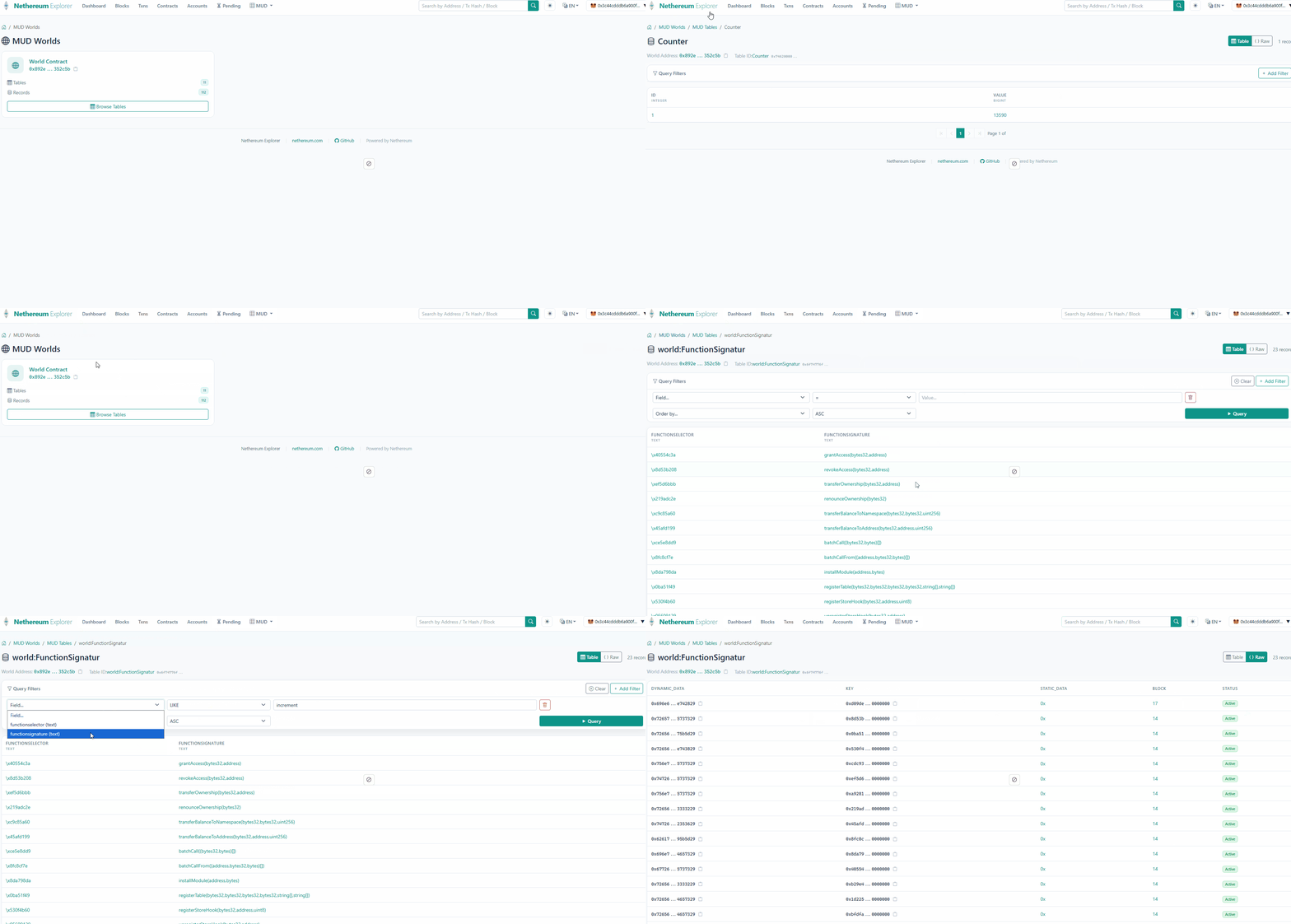
Query Normalised Tables
Once data is normalised, use NormalisedTableQueryService to query the typed PostgreSQL tables:
var queryService = new NormalisedTableQueryService(connectionString);

// List available tables
var tables = await queryService.GetAvailableTablesAsync();

// Get column metadata for a table
var columns = await queryService.GetTableColumnsAsync("app__Player");

// Query with pagination
var results = await queryService.QueryAsync("app__Player", limit: 100, offset: 0);

// Count records
var count = await queryService.CountAsync("app__Player");
Table names in PostgreSQL follow the pattern {namespace}__{tableName} (double underscore separator). This is useful for building explorer UIs or admin dashboards over MUD World data.
Choosing a Storage Strategy
| Strategy | Best For | Trade-offs |
|---|---|---|
InMemoryTableRepository | Development, testing, short-lived processes | Fast, no setup; lost on restart |
InMemoryChangeTrackerTableRepository | Local state with batch submission | Tracks mutations for replay; same restart limitation |
MudEFCoreTableRepository | Any EF Core database, simple persistence | Generic schema (blob storage); works with SQL Server, SQLite, PostgreSQL |
| PostgreSQL normalisation | Production indexing, analytics, explorer UIs | Typed relational columns; requires PostgreSQL; normalisation adds latency |
For most production applications, start with in-memory for development, then move to PostgreSQL normalisation for deployment.
Common Gotchas
- Block range matters —
ProcessAllStoreChangesAsyncdefaults to processing from the earliest block. For large chains, specifyfromBlockNumberto start from the block where your World was deployed. - Normalised table names — PostgreSQL tables use
{namespace}__{tableName}format. The double underscore is intentional to avoid conflicts with table names that contain single underscores. - Splice events update partial data —
Store_SpliceStaticDataandStore_SpliceDynamicDatamodify parts of a record, not the whole record. The repository handles merging these correctly. - Schema changes — if you modify a MUD table's schema and redeploy, the normaliser creates new columns but doesn't migrate old data. Plan schema changes carefully.
Next Steps
- Tables and Records — table record model, predicate queries, change tracking, and multicall batch writes
- Deploy a MUD World — deploy World contracts, register tables and systems, manage access control
- Blockchain Processing — the general-purpose blockchain processing framework that MUD indexing builds on